
Ideapad c340-14
- 2964 mAh
- 15,36 V
- Lithium-Ion
5 287 references across 4 series. Choose the series of your device, then its model.
 Bestsellers
The most ordered items
of the 25,80 €



No series matches. Try searching by model or contact us.
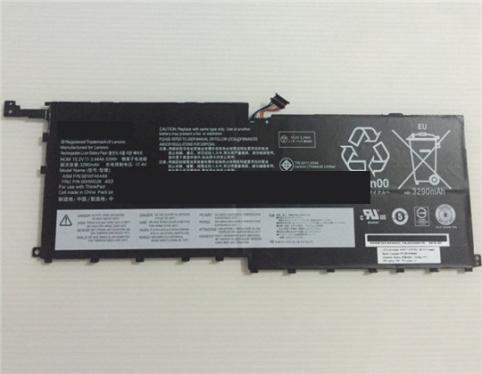
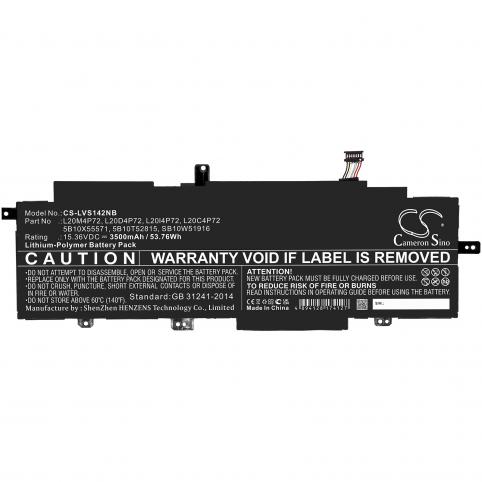
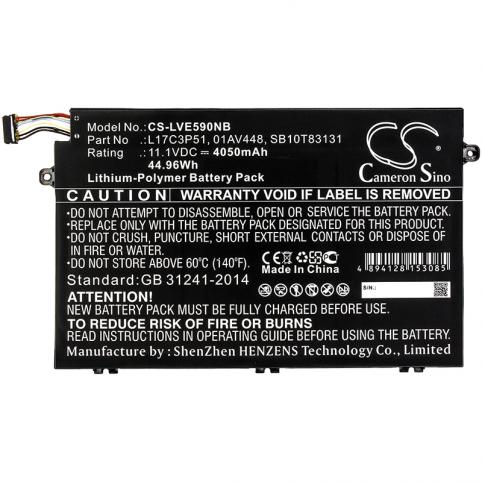
Batteries designed for the ThinkPad, IdeaPad and Yoga ranges mainly differ in their physical size and shape, their connector and their voltage, which are specific to each Lenovo laptop series. To be sure you choose a compatible model, refer to the “FRU” or “ASM” number printed on your original battery and check that this reference appears in the compatibility list of the replacement battery.
On most Lenovo laptops, replacing an internal battery is a straightforward job as long as you follow a step-by-step guide suited to your model and have the right screwdriver. By carrying out the replacement yourself, you avoid labour costs and quickly regain decent battery life.
The exact battery reference is usually shown on the label stuck directly on the battery pack, as an “FRU” or “ASM” code (for example 45N1147). Note this number down, then compare it with the compatibility information for the new battery to make sure it really matches your ThinkPad, IdeaPad or other Lenovo model.
Keeping your Lenovo laptop plugged into the charger all the time is possible, but it can speed up battery ageing because of heat and repeated partial charge cycles. To best protect the cells, it’s preferable to avoid letting the machine get hot for no reason and to unplug it from time to time once the battery is charged.
Battery life varies depending on the Lenovo model and how you use it (office work, media, demanding software), but a battery in good condition will generally allow you to work for several hours away from the mains. If your laptop switches off after only about thirty minutes, it’s often a sign that the battery has reached the end of its useful life and needs replacing.
On Batshop, you benefit from tracked delivery (Colissimo, Chronopost or collection point), secure payment (bank card, Apple Pay, Google Pay, PayPal), a 2-year warranty on new parts and 30 days to change your mind.
For more than three decades, Lenovo has been designing ranges of laptops whose reliability depends largely on the condition of the battery. The battery life you get every day, your ability to work on the move or watch a film away from a power socket are directly linked to the quality and wear of your battery.
A battery suited to your Lenovo laptop is therefore essential. An unsuitable or poor-quality model can drastically reduce runtime, cause unexpected shutdowns or problems with system recognition. When the time comes to replace it, the trickiest part is often finding a truly compatible replacement battery for your laptop.
Several symptoms can alert you:
These signs can also hide other faults (power supply, motherboard, connector). If in doubt, it is advisable to have your device tested by a professional, who will confirm whether the battery needs to be replaced.
To find a replacement battery for your Lenovo laptop, a few checks are essential:
By following these criteria, you maintain stable operation, good runtime between charges and optimal compatibility with the manufacturer’s technical requirements.
On Batshop, you will find a selection of batteries for Lenovo laptops that meet current quality standards such as ISO 9001, CE and RoHS. Each product is described in a detailed specification sheet listing compatible references, voltage, capacity, connector type and format, to help you easily check that it matches your laptop.
Our replacement batteries for Lenovo are specially designed to match the main characteristics of the original battery, in order to maintain the performance and battery life of your laptop. Before dispatch, new parts are checked to ensure they meet the expected safety and reliability requirements.
When you order from Batshop, you benefit from tracked delivery (Colissimo, Chronopost or collection point), secure payment (card, Apple Pay, Google Pay, PayPal), a 2-year warranty on new parts and 30 days to change your mind. This means you can choose and replace your Lenovo laptop battery with complete peace of mind.

 Your basket
 EN
 Français
 Español
 Deutsch
 Italiano
 Nederlands