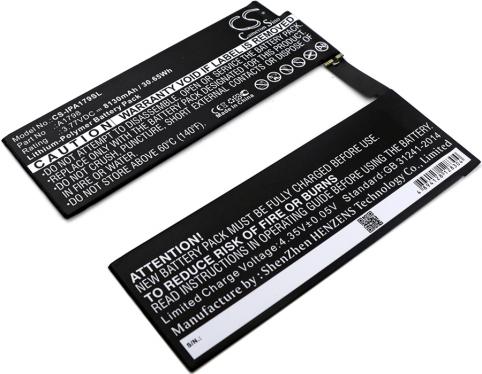
Battery for tablet apple ipad pro 10.5 2017
- 8130 mAh
- 3,77 V
- Li-Polymer
Find the exact model of your Apple device in seconds, then choose a compatible part, guaranteed for 2 years.
Enter your device name or model number (A1234).
Tutorial
The exact name of your device is all you need to choose the right part. Here's where to find it.
Since the iPhone 8, the model number is engraved inside the SIM tray: remove the tray and look towards the top of the opening. On older models, it is located on the back of the device.
Turn the iPad over: the model number (Model A…) is printed in small print on the back, below the iPad inscription.
Turn the MacBook over: the model number (Model A…) is engraved under the case, near the hinge. Enter it in the search above.
The model number is printed under each earphone, and the serial number is under the charging case lid.
Remove the bracelet: the model and size are engraved on the back of the case or in the bracelet housing.
The correct connector
Look at the charging port on your iPad: oval and symmetrical, it's USB-C; thin and flat, it's Lightning.
Yes. With a USB-C Power Delivery charger, your device negotiates the power it needs itself: a 30W charger can safely charge an iPhone.
À partir de l’iPhone 8, la charge rapide est possible avec un chargeur USB‑C d’au moins 20 W : environ 50 % de batterie en 30 minutes.
Choose at least the power of the original charger, indicated on its label: 30 to 70 W for a MacBook Air, 67 to 140 W for a MacBook Pro depending on the size.
Send us the model number (A…) of your device: an advisor will tell you the compatible part.

 Your basket
 EN
EN
 Français
 Español
 Deutsch
 Italiano
 Nederlands